


iPhone & iPad - Face ID and Passcode Settings Not Appearing

Apr 02, 2024
 66
66
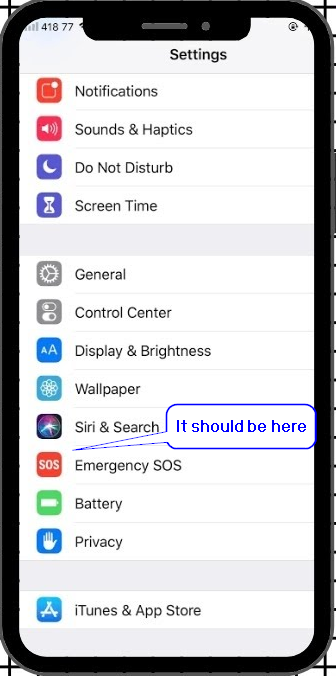
You may encounter an issue where the Touch ID/Face ID and Passcode option within the Settings app does not appear:
Solutions (Provided by Apple):
Option 1: Restart your Device
1.) Turn your iPhone/iPad off and turn it back on.
2.) Check to see if the setting came back on the list of options within the Settings app.
Option 2: Disable the Screen Time feature
- Go to Settings and tap Screen Time.
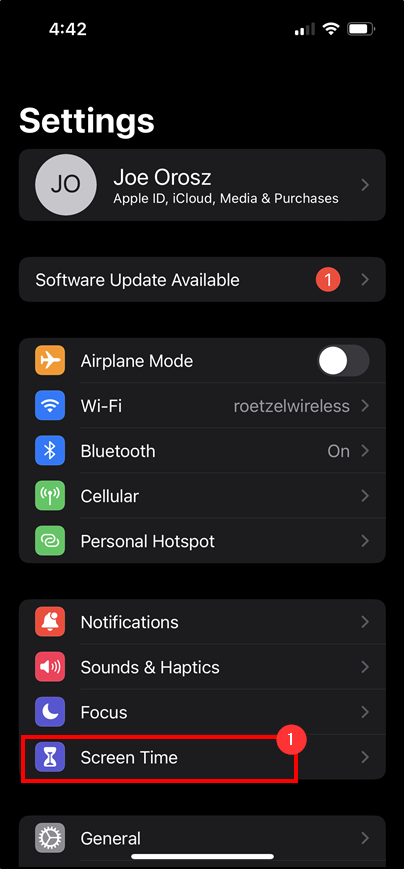
2.) Click on Use Screen Time Passcode.
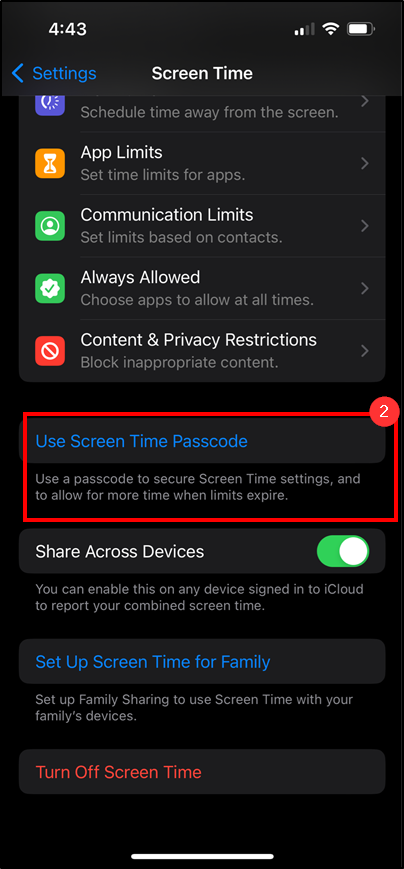
3.) Enter in a passcode for this device, then the phone will show this option to disable.
Questions? Contact Us!
IT Support Desk


Hours - 8:00AM - 6:00PM EST
Email - [email protected]
Phone - (330) 849-6699*

