


WebView - How to Access from Microsoft Edge

Apr 02, 2024
 44
44
WebView - How to Access from Microsoft Edge
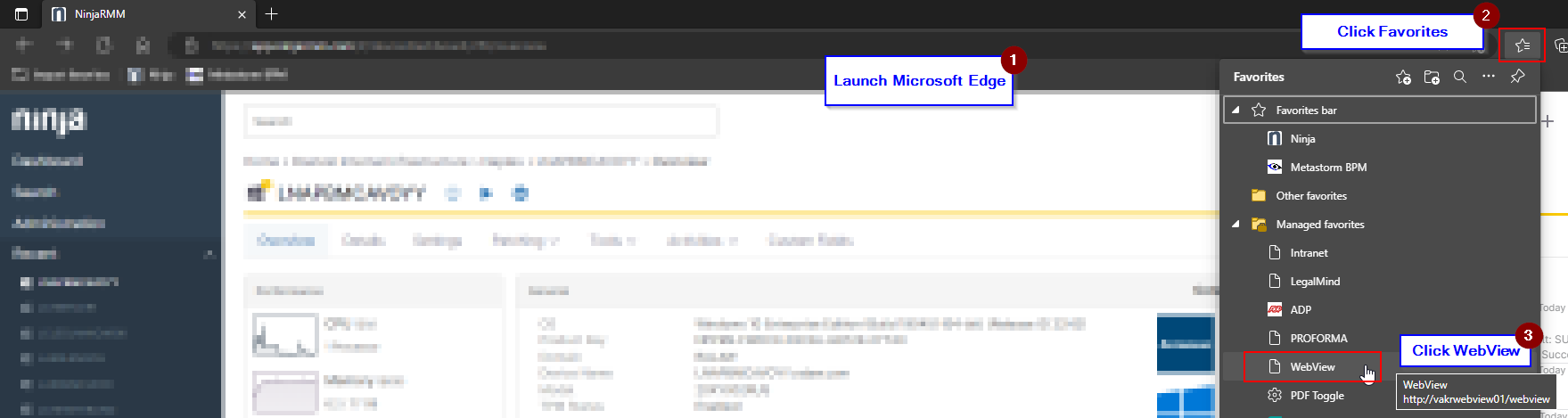
- Launch Microsoft Edge.
- Click the Favorites icon next to URL field on the right hand side.
- Click WebView.
Questions? Contact Us!
IT Support Desk


Hours - 8:00AM - 6:00PM EST
Email - [email protected]
Phone - (330) 849-6699*
*For Emergency Assistance please use option 8

