


PDF - Required to Use Adobe to View PDF

Apr 02, 2024
 54
54
If you encounter this message on a PDF you are trying to download/open:
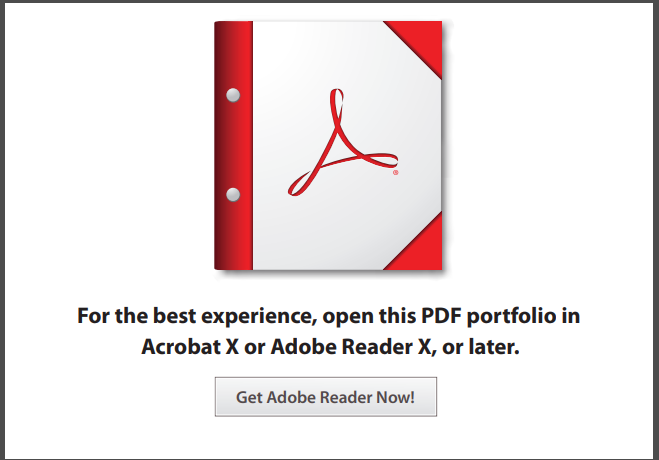
Begin downloading the PDF to your machine
- Once downloaded, right click on the PDF.
- Select Open With.
- Select Adobe Acrobat Reader.
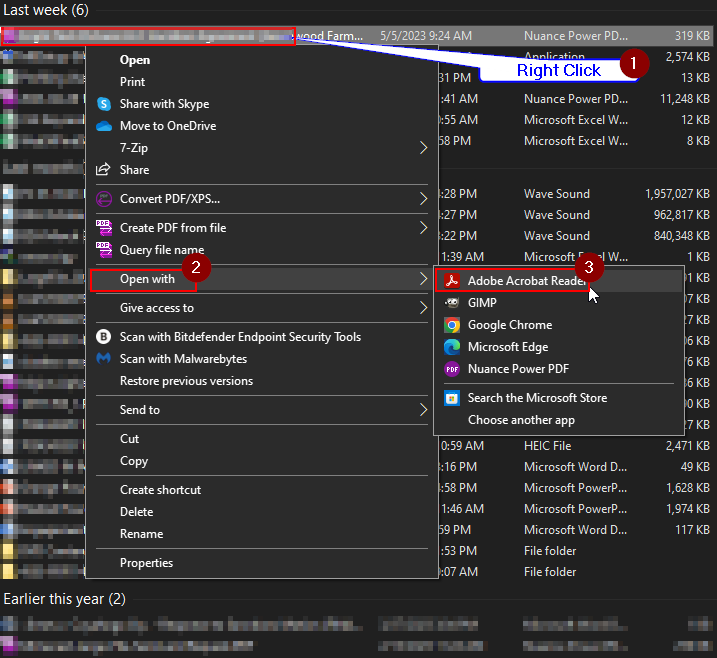
Note: Some instances in opening Adobe Acrobat, it will prompt the user to set Adobe as their default PDF viewer. Do not select this. Keep it as Nuance PDF.
Questions? Contact Us!
IT Support Desk


Hours - 8:00AM - 6:00PM EST
Email - [email protected]
Phone - (330) 849-6699*
*For Emergency Assistance please use option 8

