


DialPad - Reporting Issues with Computer Application

Apr 02, 2024
 48
48
Reporting Issues with the DialPad Computer Application
1. Open the DialPad application.
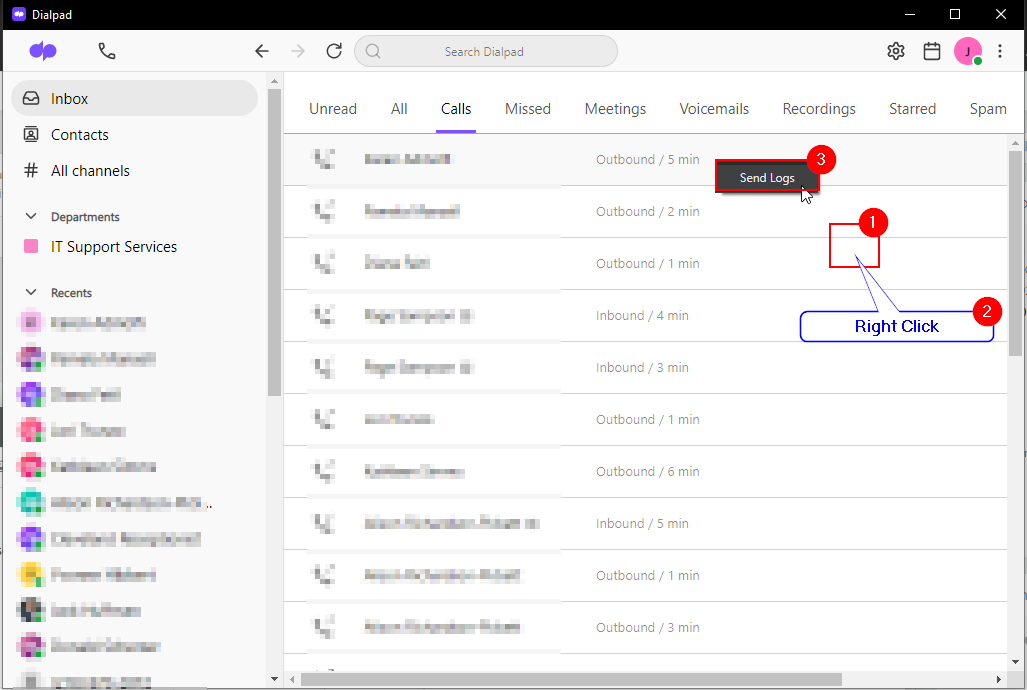
2. Right Click anywhere in the program.
3. Choose Send Logs.
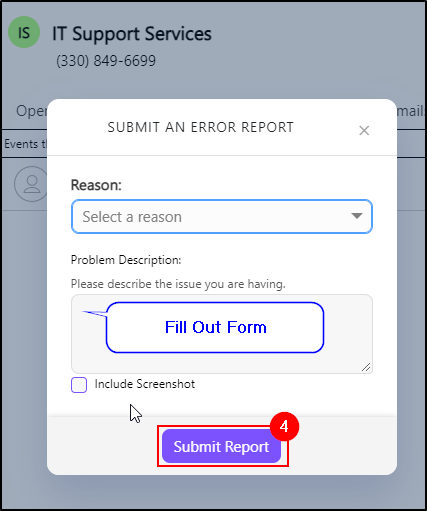
4. Fill in the form and DialPad will reach out to you to assist.
Questions? Contact Us!
IT Support Desk


Hours - 8:00AM - 6:00PM EST
Email - [email protected]
Phone - (330) 849-6699*
*For Emergency Assistance please use option 8

