



 122
122
Installing the iTimeKeep Mobile App
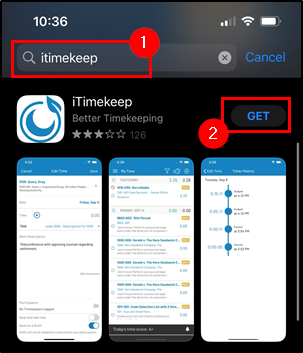
1. Open the App Store or Google Play Store and search for iTimeKeep.
2. Download iTimeKeep.
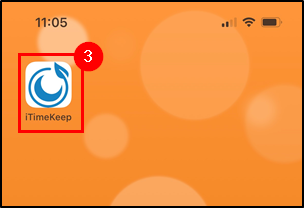
3. Open the iTimekeep app on your device.
4. From the Login to Your Account prompt, type in your R&A Email Address and tap Next and tap Continue.
5. Enter your Email Address again and tap Next.
6. Enter your Network Password and tap Sign In.
7. You will then be prompted to complete your authentication from your Authenticator app. Complete the authentication and it will allow you to proceed.
8. Tap the Account that displays your name and email address and tap Continue.
9. Enter/Create a 4 Digit Pin (twice) and tap OK.
10. Tap Send me a Verification Code.
11. You will receive an email with the verification code from iTimekeep [email protected]
12. Enter the verification code and tap Verify my Code.
13. From the Get Notified prompt tap Sure and Tap Allow.
Troubleshooting Ideas
Forgot iTimeKeep Mobile PIN / Issues Signing Onto App
- If you forget or have issues logging into iTimeKeep on Mobile, uninstall the app from your phone's app store and redownload it.
-
From the Login to Your Account prompt, type in your R&A Email Address and tap Next and tap Continue.
-
Enter your Email Address again and tap Next.
-
Enter your Network Password and tap Sign In.
-
You will then be prompted to complete your authentication from your Authenticator app. Complete the authentication and it will allow you to proceed.
-
Tap the Account that displays your name and email address and tap Continue.
-
Enter/Create a 4 Digit Pin (twice) and tap OK.
Questions? Contact Us!
IT Support Desk


Hours - 8:00AM - 6:00PM EST
Email - [email protected]
Phone - (330) 849-6699*
*For Emergency Assistance please use option 8

