


PowerPDF - Reducing the Size of a PDF File

Apr 02, 2024
 151
151
1. Open a PDF in PowerPDF Advanced.
2. Click the Home tab.
3. Click Reduce.
4. Click Reduce Current File.

5. Click OK.
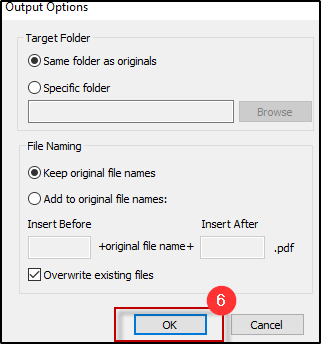
6. From the Output Options window keep the defaults and click OK.
7. Save and Close the PDF file.
Questions? Contact Us!
IT Support Desk


Hours - 8:00AM - 6:00PM EST
Email - [email protected]
Phone - (330) 849-6699*
*For Emergency Assistance please use option 8

