


Zoom - Renaming a Zoom Meeting Room

Apr 02, 2024
 67
67
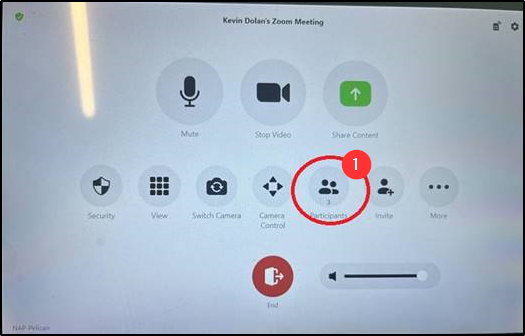
1. Connect to your meeting and tap Participants.
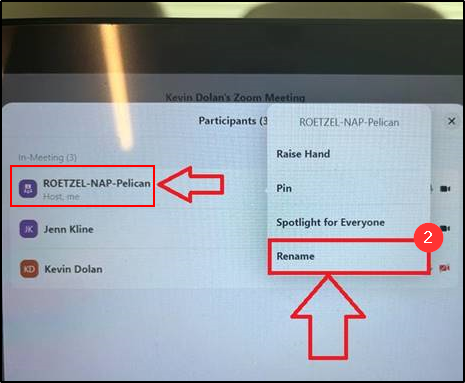
2. Tap the name of the room you are using. It will say “Me” under it. From the menu, click Rename.
-- In the example below you can see the name was changed to include ROETZEL.
3. Once the meeting is done, the name will revert automatically to what it was originally.
Questions? Contact Us!
IT Support Desk


Hours - 8:00AM - 6:00PM EST
Email - [email protected]
Phone - (330) 849-6699*
*For Emergency Assistance please use option 8

