


PDF - How to Convert Documents to PDF Format

Apr 02, 2024
 37
37
Option 1 - Print to PDF
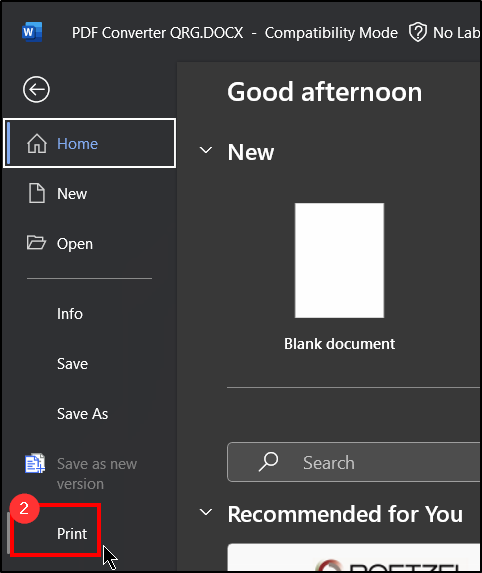
1. Open a file you wish to convert and choose File .

2. Choose Print .
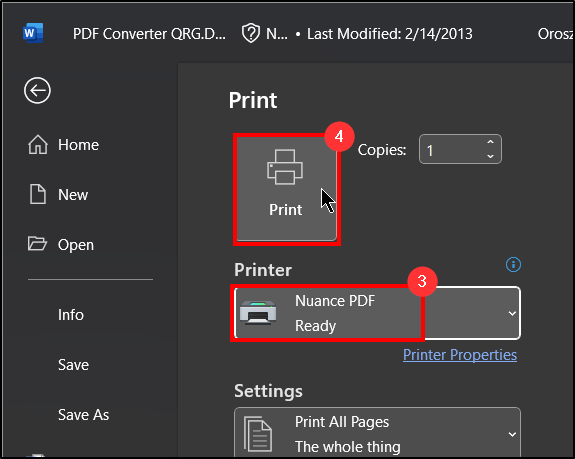
3. For the printer, select Nuance PDF .
4. Click Print .
5. Nuance PDF will open with the document that was converted.
Note: A new window may appear if you have a PDF already opened in Nuance to append. Choose these options accordingly.
Option 2 - Convert through Nuance PDF
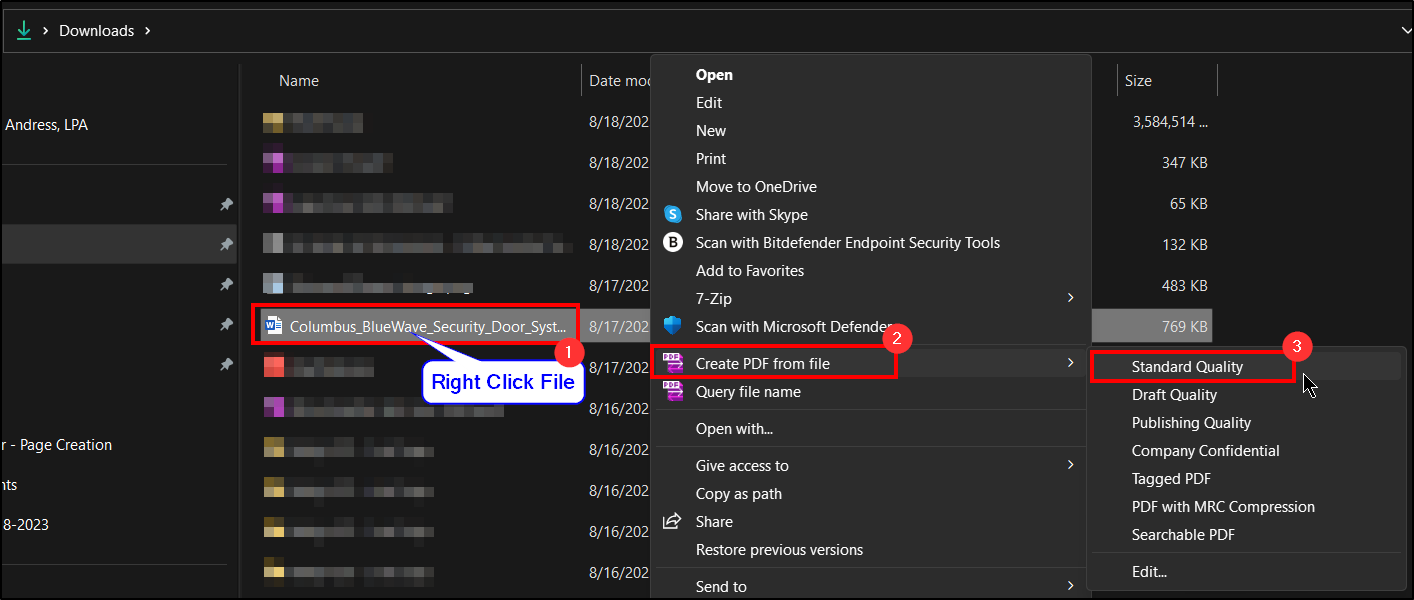
1. Locate a file that is saved to your computer and right click on it.
2. Hover over "Create PDF From File" .
3. Then click Standard Quality .
4. It will open directly from Nuance PDF. Save accordingly.
Questions? Contact Us!
IT Support Desk


Hours - 8:00AM - 6:00PM EST
Email - [email protected]
Phone - (330) 849-6699*
*For Emergency Assistance please use option 8

