


Outlook - Disabling Focused Inbox

Apr 02, 2024
 56
56
Disabling Focused Inbox in Outlook
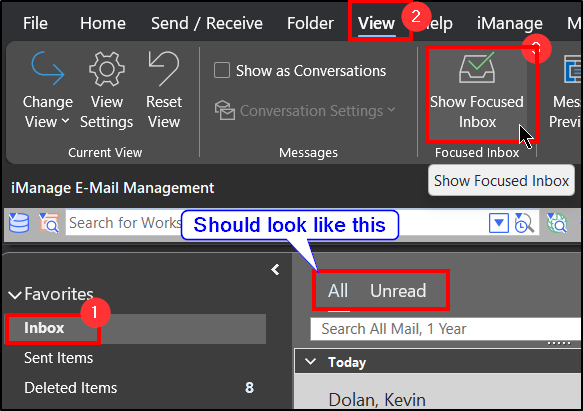
- Open Outlook and click on your Inbox.
- Click the View tab.
- Ensure that Show Focused Inbox is unselected.
Questions? Contact Us!
IT Support Desk


Hours - 8:00AM - 6:00PM EST
Email - [email protected]
Phone - (330) 849-6699*
*For Emergency Assistance please use option 8

