


OLD - DO NOT USE - P Drive - Navigating to Office P Drives

Oct 10, 2025
 107
107
1. Open File Explorer on your computer.

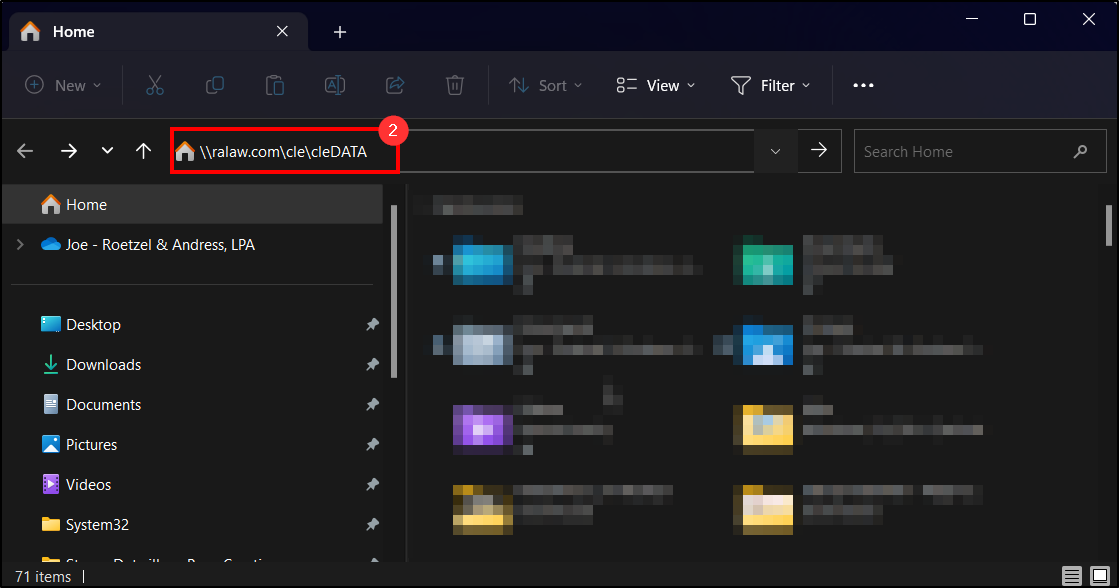
2. Copy, then Paste the specific office P Drive link you wish to connect to in the File Explorer URL Field:
- Akron - \\ralaw.com\akr\akrDATA
- Cleveland - \\ralaw.com\cle\cleDATA
- Toledo - \\ralaw.com\tol\tolDATA
- Cincinnati - \\ralaw.com\cin\cinDATA
- Wooster - \\ralaw.com\woo\wooDATA
- Naples - \\ralaw.com\nap\napDATA
- Fort Myers - \\ralaw.com\ftm\ftmDATA
- Winter Park - \\ralaw.com\win\winDATA
Questions? Contact Us!
IT Support Desk


Hours - 8:00AM - 6:00PM EST
Email - [email protected]
Phone - (330) 849-6699*
*For Emergency Assistance please use option 8

