


Outlook - Opening and Closing a .PST File

Apr 02, 2024
 96
96
Opening a .PST File in Outlook
1. Open Outlook, go to File.
2. Click Open & Export.
3. Click Open Outlook Data File.
4. Select the .PST file you wish to open.
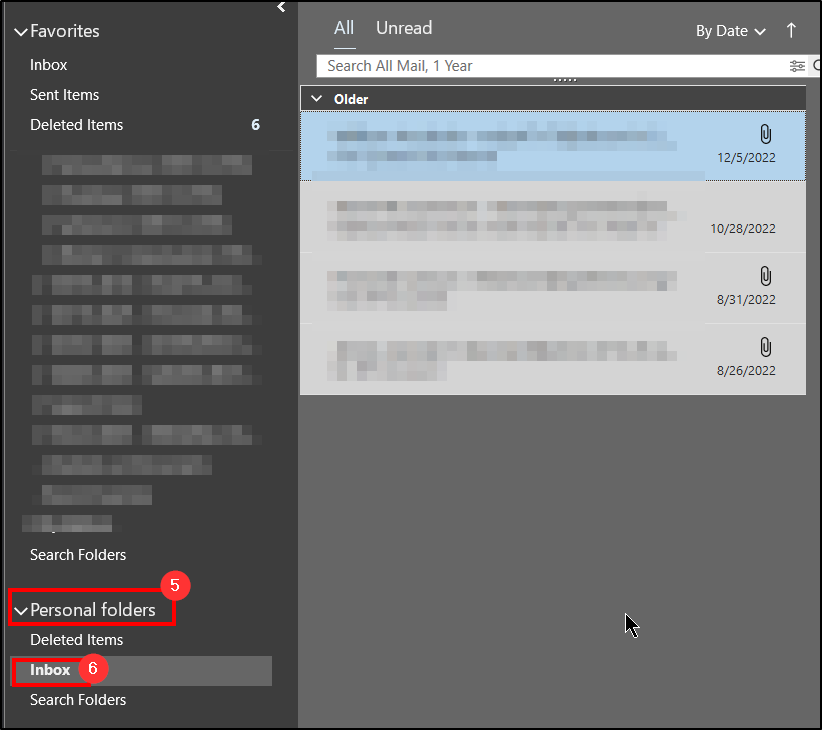
5. After opening, it will go into a email group folder called “Personal Folders”. Expand it. by clicking the arrow.
6. Select the Inbox or specific to view the emails related to that .PST
Closing a .PST File in Outlook
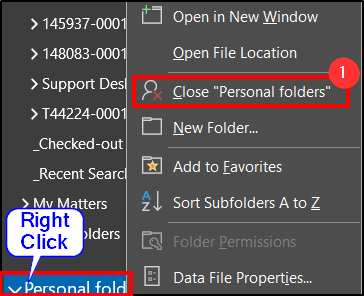
1. When you are done viewing, right click on the Personal Folders section and select Close.
Questions? Contact Us!
IT Support Desk


Hours - 8:00AM - 6:00PM EST
Email - [email protected]
Phone - (330) 849-6699*
*For Emergency Assistance please use option 8

