


Dialpad - Signing In and Out of Mobile App

Apr 15, 2024
 47
47
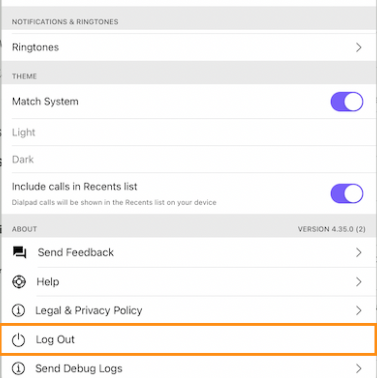
To log out of the Dialpad app
1. Tap your profile picture.
2. Tap Log Out and confirm.
To log in to the Dialpad app
1. Tap Start Making Calls.
2. Tap Login with Office 365 and tap Continue.
3. Tap the account and tap Continue. If you do not see an account listed, enter in the R&A email address and network password. Your Authenticator may be required.
4. Enter the mobile device number, NOT the Dialpad number, and tap Continue.
Questions? Contact Us!
IT Support Desk


Hours - 8:00AM - 6:00PM EST
Email - [email protected]
Phone - (330) 849-6699*
*For Emergency Assistance please use option 8

