131
131
(Be sure user has correct access - Legal Assistants should have publishing editor rights on calendar/contacts)
To Add Calendar:
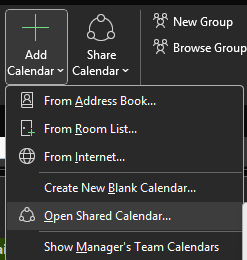
Click on the Calendar icon in Outlook. On the Home tab, click on +Add Calendar dropdown and choose "Open Shared Calendar" and search user's last name and click OK once selected.
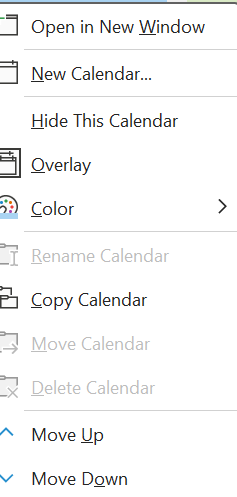
Right click on respective calendar for additional options

To Add Contacts:
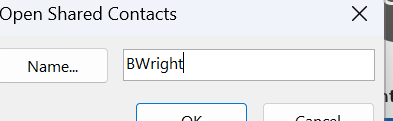
Click on the Contact icon in Outlook. On the Home tab, click Open Shared Contacts.

Type the username in the Name box or click Name to select a name from the Address Book.
Only the default Contacts folder can be shared. If you or someone else has created additional contact folders, those can’t be shared.
Click OK.
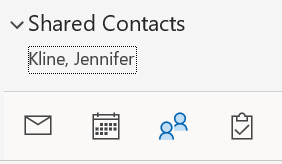
This will appear in the left pane under shared contacts: