


Dialpad - How to Silence Calls (Do Not Disturb) on Computer or Mobile

May 05, 2025
 49
49
Dialpad - How to Silence Calls (Do Not Disturb) on Computer or Mobile
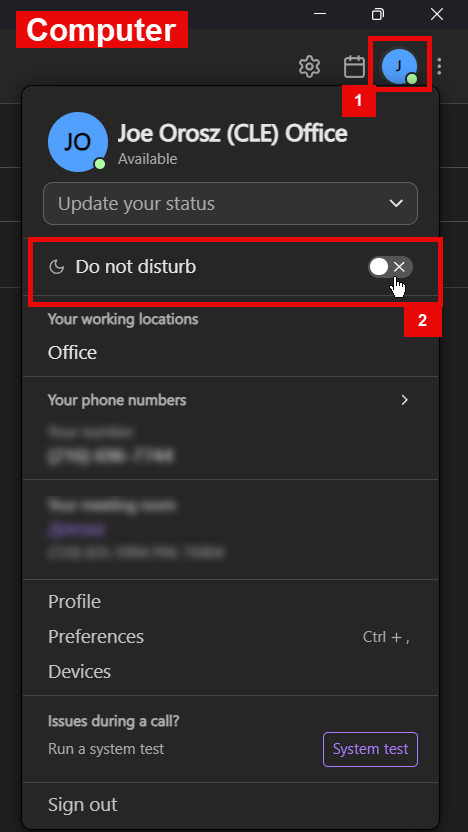
Computer (Desktop, Laptop):
- On the computer, click on the profile icon on the top right
- Go to Do Not Disturb and enable it.
- Set a timer as needed.
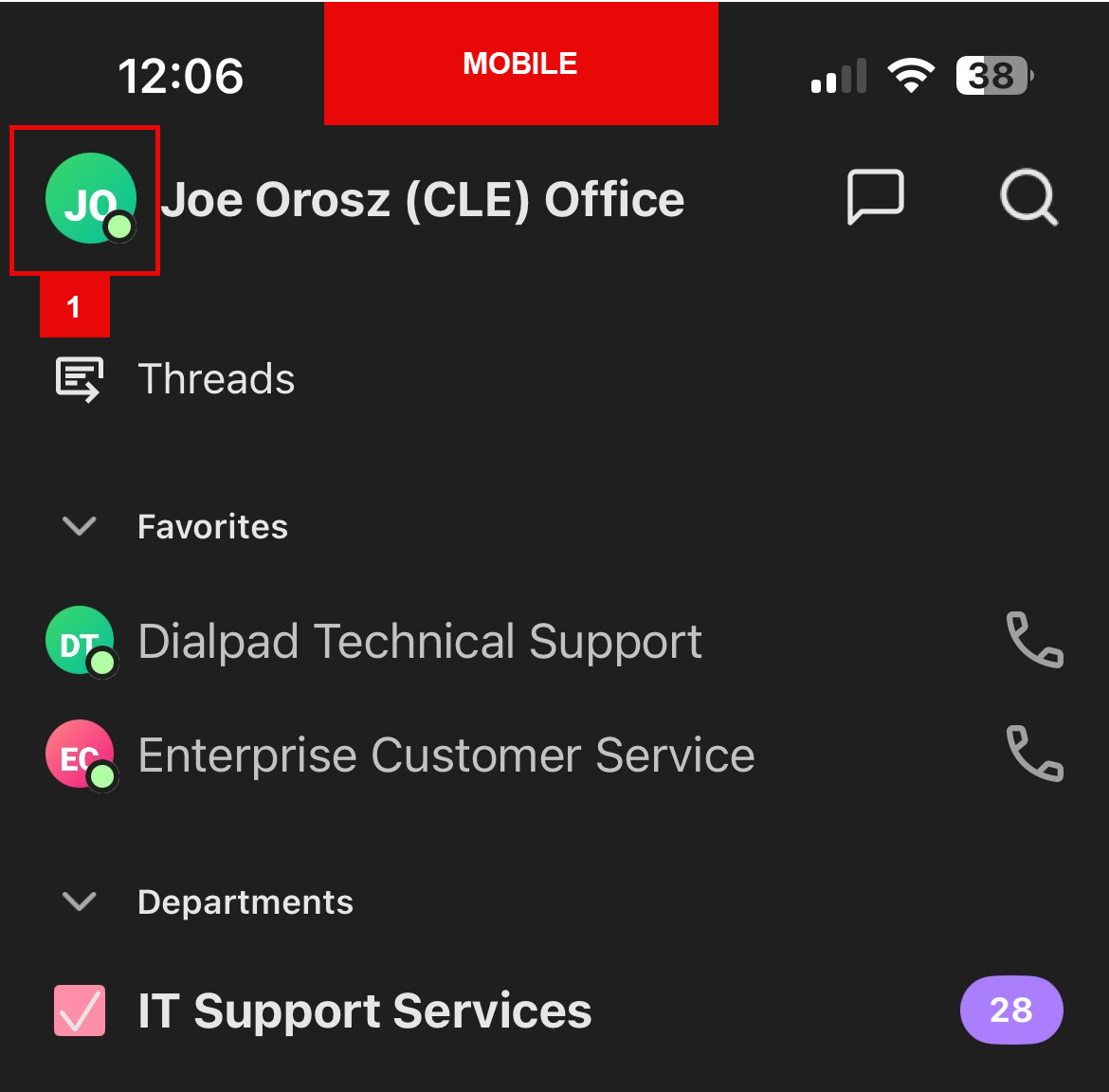
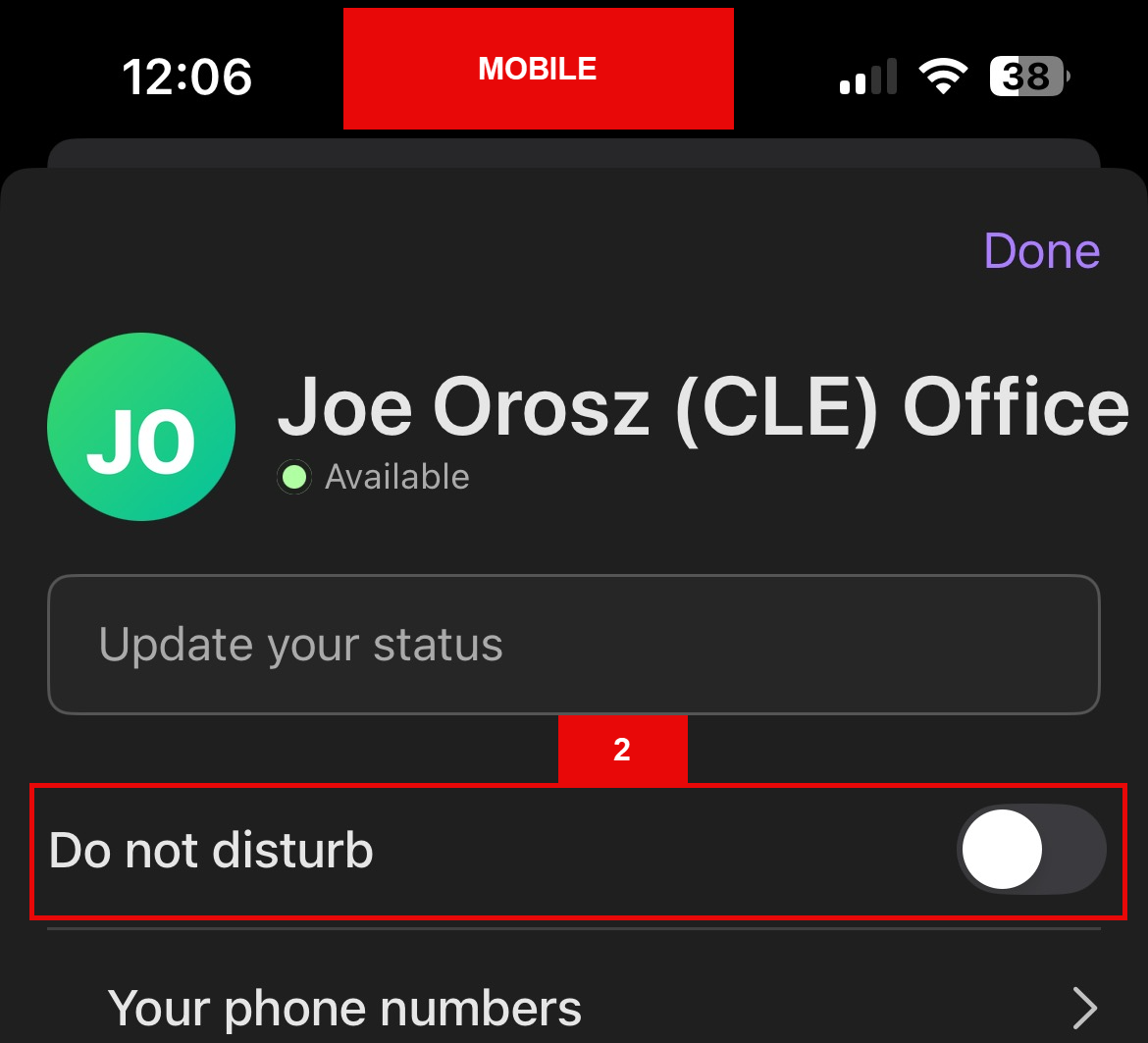
Mobile (iPhone, iPad, Android):
- On the Dialpad app, click on the profile icon on top left.
- Go to Do Not Disturb and enable it.
- Set a timer as needed.
Questions? Contact Us!
IT Support Desk


Hours - 8:00AM - 6:00PM EST
Email - [email protected]
Phone - (330) 849-6699*
*For Emergency Assistance please use option 8

