


Microsoft CoPilot - Updating Office 365 to Reflect CoPilot License

Aug 05, 2025
 57
57
Microsoft CoPilot - Updating Office 365 to Reflect CoPilot License
1. Open Outlook and choose File >> Office Account (on the left pane).

2. Click "Update License". This may prompt you to sign into your R&A Account. Provide Email, Password and MFA as needed.
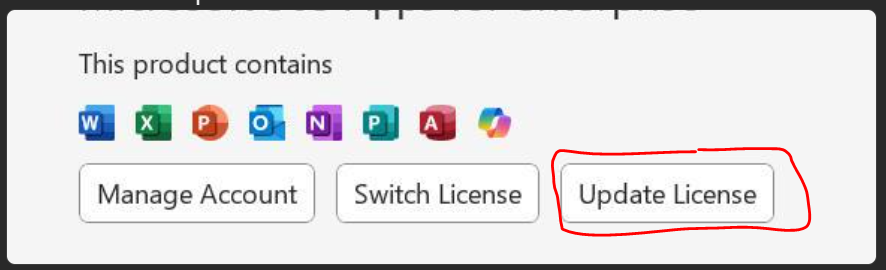
3. Once completed, Close out of any Microsoft apps (i.e Word, PowerPoint, Excel, Outlook) and then reopen Outlook and Word. Co-Pilot should now take affect.
Questions? Contact Us!
IT Support Desk


Hours - 8:00AM - 6:00PM EST
Email - [email protected]
Phone - (330) 849-6699*
*For Emergency Assistance please use option 8

