


Dialpad - Signing In and Out of Computer App

Aug 06, 2025
 89
89
Dialpad - Signing In and Out of Computer App
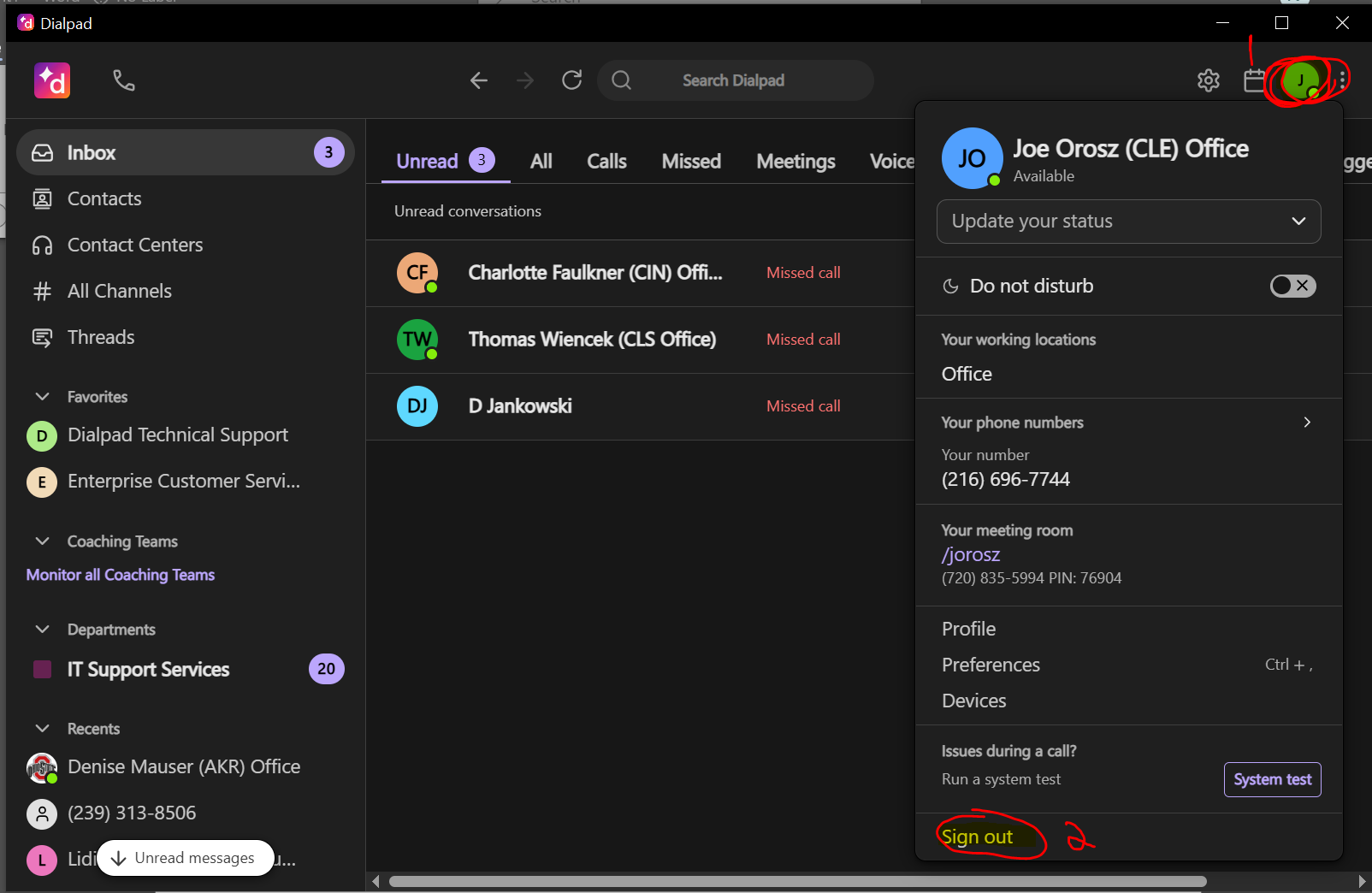
To log out of the Dialpad app on PC
1. Open Dialpad, Tap your profile picture on the top right.
2. Click Sign Out and confirm.
To log in to the Dialpad app on PC
1. Click Log In with Microsoft.
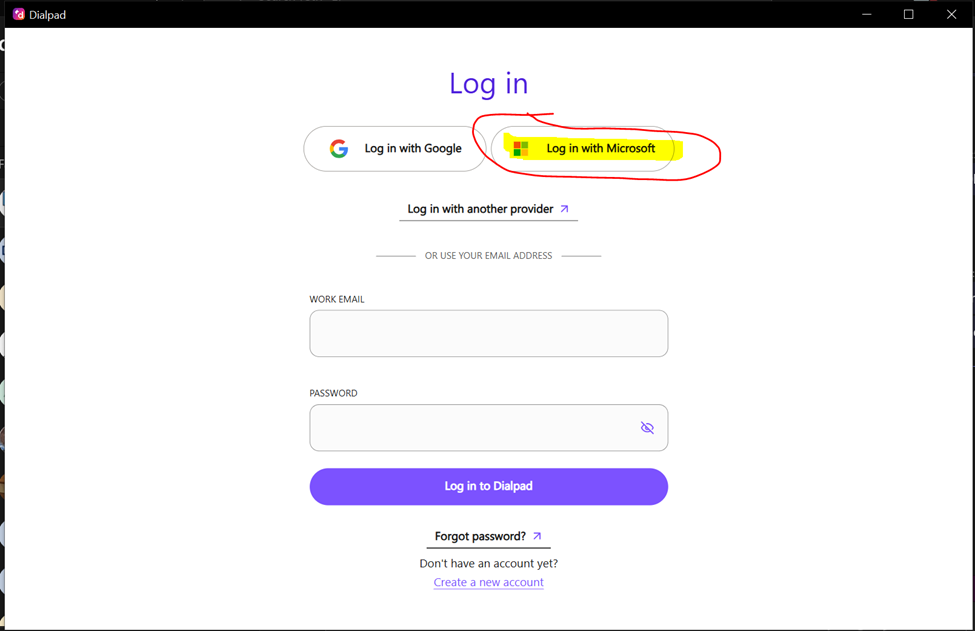
2. A browser window will open. Enter Email, Password and authenticate using your Microsoft Authenticator app.
3. Click on Open with Dialpad when you see it say Sign in Successful. This will open the app and sign you in.
Questions? Contact Us!
IT Support Desk


Hours - 8:00AM - 6:00PM EST
Email - [email protected]
Phone - (330) 849-6699*
*For Emergency Assistance please use option 8

